Stage 1: Pick by Exact Title & Creator (Skip Bare GTA 6 Search)
Typing bare "GTA 6" into Roblox search surfaces renamed bait pages and low-rated clones first. Open the official Roblox app or website, search one of the active titles below, and confirm the By creator line matches before clicking Play:
- Open the official Roblox app or
roblox.comand sign into your account. - Search for the exact experience name rather than "GTA 6".
- Verify the Creator line and active player count, then click Play.
| Exact Game Title | Official Creator | Players (checked 25 Nov 2026) | Best Starting Fit |
|---|---|---|---|
| Criminal Simulator | Pigged Out Studios | 19,268 | Co-op heists and progression |
| San Diego Roleplay | San Diego Community | 9,660 | Large coastal & border police RP |
| Wanted | DevvGames | 5,066 | Action gunfights, banks & free starter codes |
| Miami Crime RP [BETA] | Blox Star Games | 2,326 | Neon Miami coastal driving & gang RP |
If a listing uses "GTA 6" in its title and does not match the creator you expected, run it through the GTA 6 Roblox Link Checker first.
Stage 2: Basic PC & Mobile Controls Before Your First Session
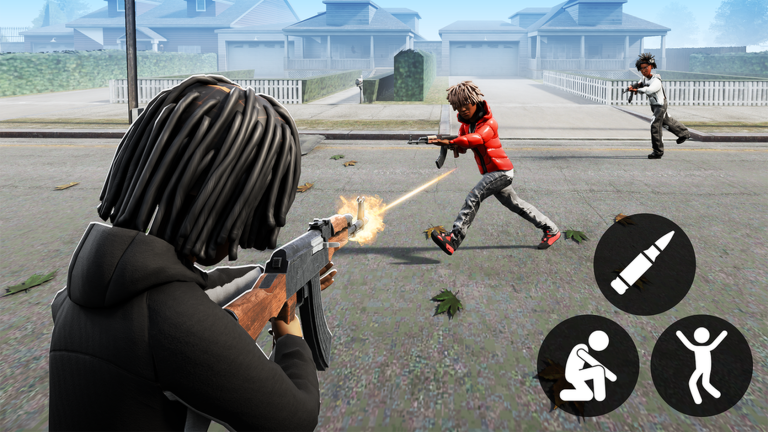
Each Roblox crime game maps extra actions to its own HUD, so check the on-screen hints after spawning. As a concrete baseline, RUNAWAYS documents these core bindings in its official description:
- Click / Touch: Interact or attack
- E: Equip or drag items
- X: Drop the active tool
- R: Reload weapon
- Q: Use ability or weapon attachment
| Device | What to Set Before Driving or Fighting |
|---|---|
| PC | Use WASD for movement and driving, mouse for camera/aim, and press Tab or check the side buttons for inventory and code menus. |
| Mobile | Open the Roblox top-left icon → Settings → Graphics Mode: Manual (1–3) on older phones to keep dense city maps responsive. Combat buttons (such as fire, crouch, and jump in Urban Reload) sit on the lower right—layouts vary by game. |
| Console | Use the controller cursor to open shop or code menus, and stick to active experiences with controller support enabled on their Roblox details page. |
Note that smooth frame rates on older phones depend on device RAM; large multi-job RP cities load more assets than compact heist maps.
Stage 3: Troubleshoot Blocked or Broken Joins (By Exact Cause)
If Roblox stops you from entering a game, match the exact message to its real cause so you do not waste time reinstalling the app:
| What You See | Actual Cause | How to Recover |
|---|---|---|
| "This experience is unrated / unavailable" | The creator never completed Roblox's maturity questionnaire (example: 443979696 by lollmas11, last updated 2021). |
Leave the page. No account or network change can unlock an unrated legacy place—pick an active title on Best Games. |
[TITLE UNAVAILABLE] or content restricted |
Roblox restricted or removed the listing (example: Beyond Nen, 91433030196741). |
Skip the dead link; it cannot be joined. |
| Maturity / parental restriction prompt | The game's violence rating sits above your account's content maturity setting. | Choose a lower-maturity active game such as Jailbreak or adjust parental controls with an account guardian. |
| Error 524 (Not authorized to join) | You clicked an expired or private share?code=...&type=Server link from a comment section. |
Back out to the game's public Roblox listing page and click Play to join a public server. |
If Roblox says an experience is unrated or Title Unavailable, your internet is fine—the listing itself cannot be joined, so switch to an active creator page in Best Roblox Games Like GTA 6 and grab starter rewards on GTA-Style Roblox Codes.